


Updating a Work Type Priority within a Service can only be done in the QFM Desktop system.
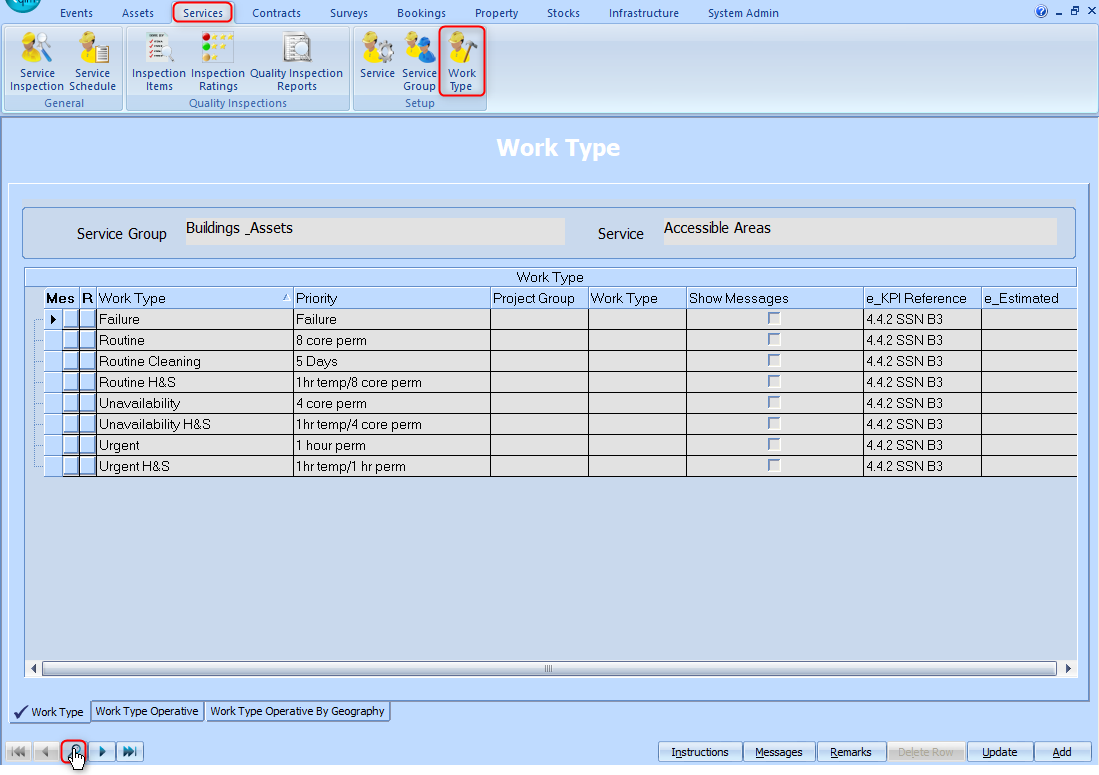
- Go to the Work Type screen in the Services menu. Select the Work Type tab in the bottom left corner of the screen.

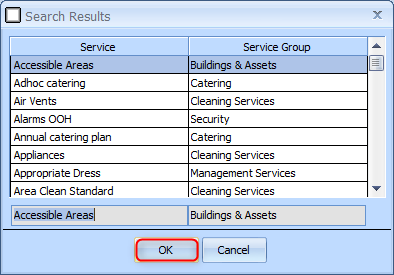
- Search for the Service which holds the Work Type by using the search icon in the bottom left corner of the screen.
Select List all then make your selection.


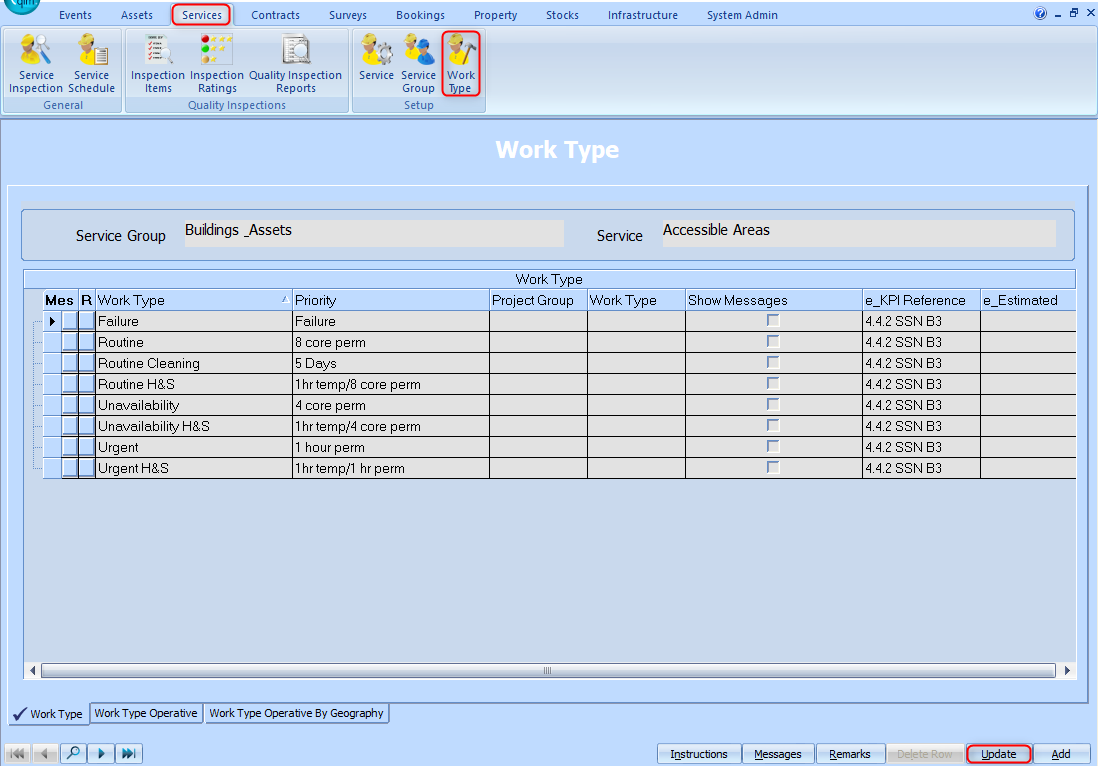
- The Priority can now be updated by selecting Update, changing the Priority for the relevant Work Type using the drop down list, and then selecting Save.

- Once this has been done, flush the server settings in the QFM web application. Go to Administration > Utilities > Flush Server Settings. The updated Priority should now be automatically populated when adding a Work Type on a new Event.