




Problem
How do I access the templates for Event instructions?
Resolution
Templates are created in QFM Desktop under each Work Type in the messages section of the Work Type screen.
1) First login to QFM Desktop, with a Helpdesk user.
2) Navigate to the ‘Events’ tab.
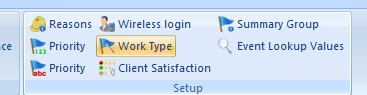
3) Navigate to ‘Work Type’, which is found with within the ‘Setup’.
4) Select the Work type you wish to access the template for.
5) Click the ‘Update’ button in the bottom right.
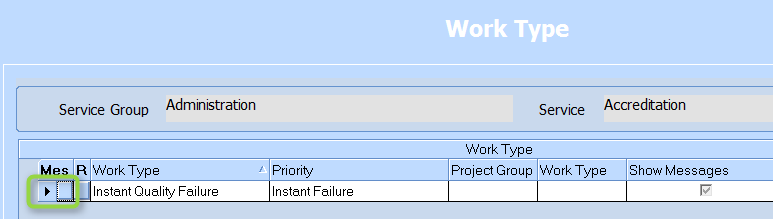
Click the ‘Mes’ button shown below.
Now you can enter in a template for the instructions which will be used as a default when events are logged against this Work Type. Click the ‘Save’ button when you are finished.
