Problem
How do I add a new Work Type in QFM?
Resolution
To add a new work type in QFM you will need to use QFM Desktop:
- Login to QFM Desktop with a Admin or Helpdesk level user. If you do not have a user of this level please contact your QFM Administrator.
- Navigate to the ‘Events’ tab.

- Navigate to ‘Work Type’, which is found with within the ‘Setup’.
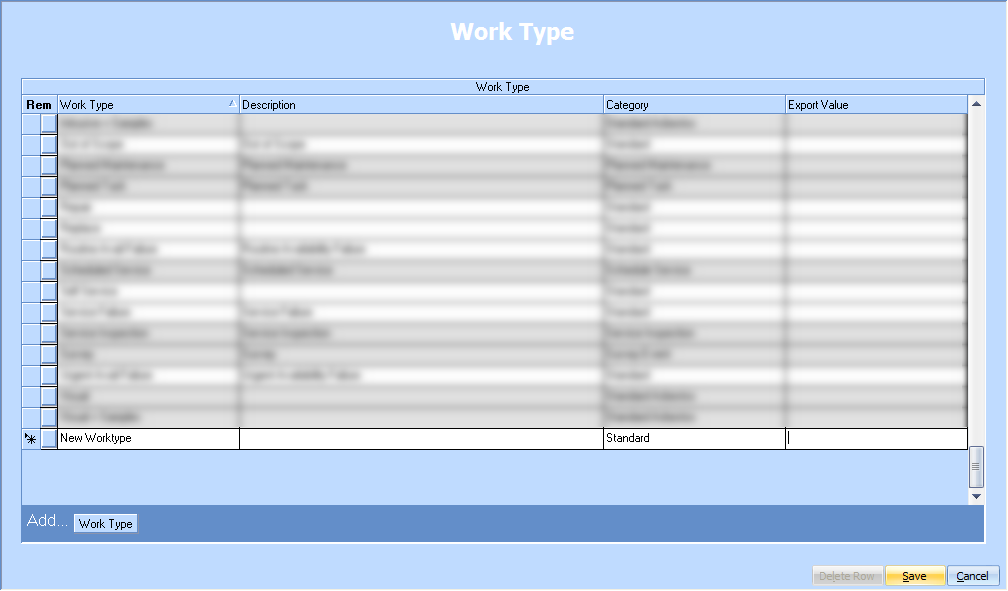
- Click the ‘Add’ button tton in the bottom right.
- A new row will have been added at the bottom of the list, fill this out without the Name of the new Work Type, an Optional Description, leave Category as ‘Standard’, leave ‘Export Value’ blank.

- Click the ‘Save’ button in the bottom right.
- The Work Type has now been added into the system, it can then be managed via the ‘Services’ Tab within ‘Work Type’.