




Problem
How do I add an attachment to an Event in QFM Web?
Resolution
To add an attachment to an event you must first log the event, you cannot add an attachment to an event that is yet to be created.
- Navigate to the event you wish to add the attachment too.
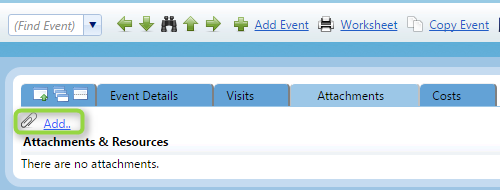
- Click on the ‘Attachments’ tab and then click on the ‘Add’ button. If you don’t see either of these buttons please contact your QFM administrator as your User Class will have to have attachments enabled.

- There are three types of attachment you can add in QFM.
- Files – Documents, Images, PDFs. This is the standard attachment type.
- Link to an existing file – This type will link to a file on your local network without adding it to the QFM system.
- Link to a web address – This type will link to a URL.