Problem
How do I change Event dates if the fields are greyed out in QFM Web?
Resolution
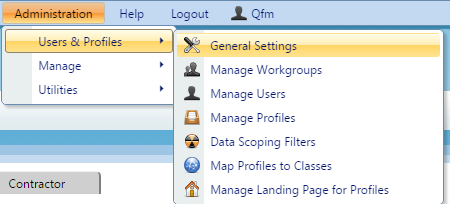
If a field is greyed out in QFM Web for a User then this can normally be configured to be updatable via General Settings in Administration, come fields cannot be updated such as ‘Cancelled’.
- To change these settings you must first login as an Administrator on QFM Web.
- Navigate to ‘General Settings’.

- Select the User Class you wish to change the settings for, if you want to change the settings for everyone who uses QFM select the ‘Global User Class’. You select the User Class from the dropdown at the top of the page.

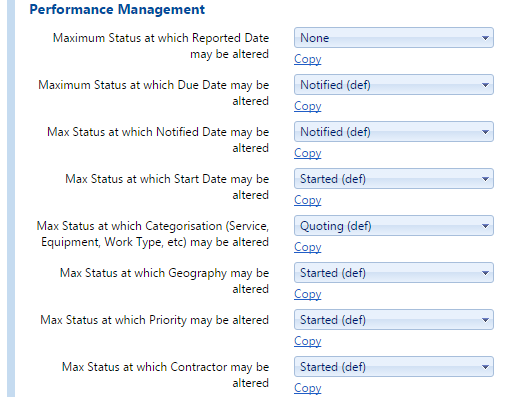
- Navigate to General Event Logging > Performance Management. You will see a variety of settings which control at what point a field cannot be edited past.

- When you want to save your changes scroll to the bottom of the page and click ‘Apply Settings’.