Problem
How do I change the room setup configuration for Room Bookings in QFM Web?
Resolution
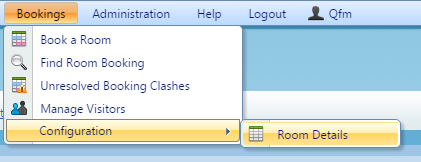
- To configure a room setup you will have to navigate to ‘Room Details’.

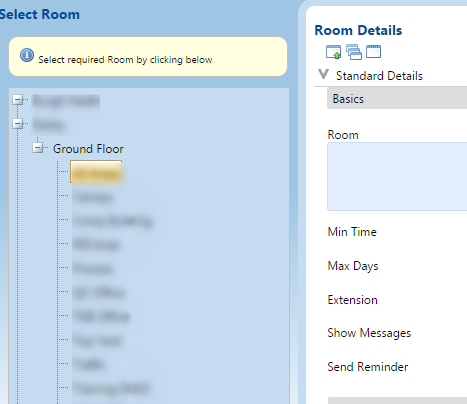
- Select the room you wish to change via the navigation bar on the left hand side of the screen.

- Once the room loads you should be able to configure various changes. If you cannot make any changes because the fields are locked you should contact your QFM administrator to enable the ability to edit rooms for your User Class/Profile. This would be done via ‘General Settings’ on the Admin tab.