Problem
How do I configure email notifications on QFM Web?
Resolution
To configure email notifications on QFM Web you must first login as a user with administrator rights.
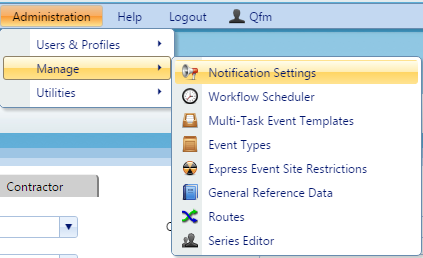
- Navigate to ‘Notification Settings’.

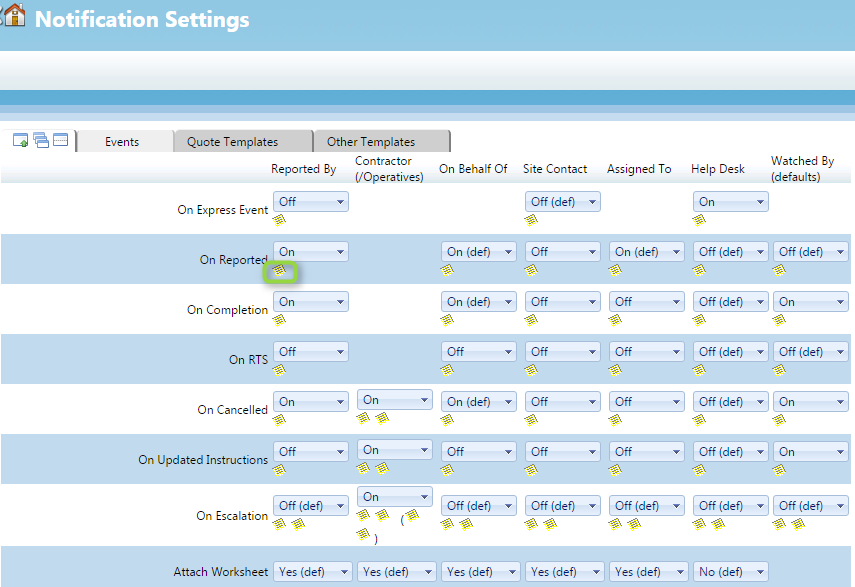
- You will now be presented with the crib sheet for configuring email notifications, on this page you can choose to turn on/off a variety of email at various statuses for different type of user.

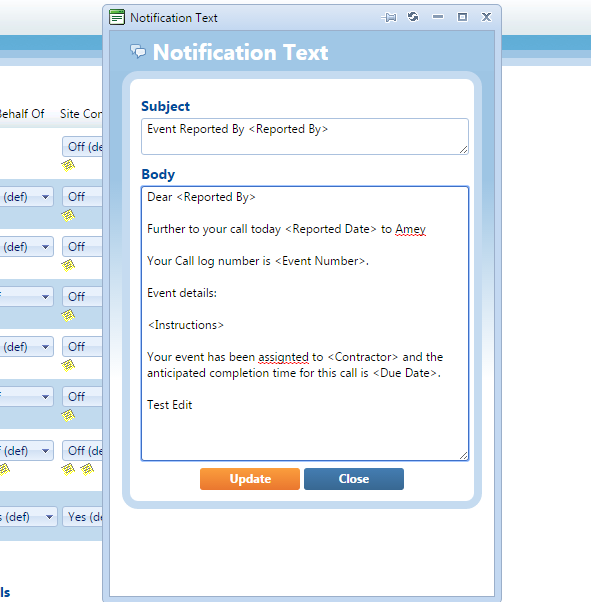
- If you want to configure the text of the emails themselves click on the yellow post-it to bring up the email subject and body which you can edit.