Problem
How do I reinstate a QFM user account?
Resolution
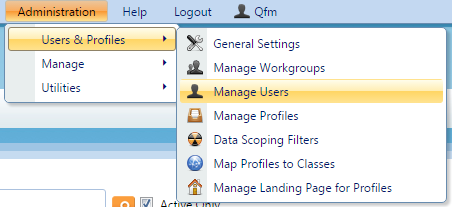
To instate a QFM User Account you will use ‘Manage Users’ via the Administration tab on QFM Web. To change these settings you must first login as an Administrator on QFM Web.
- Navigate to ‘Manage Users’.

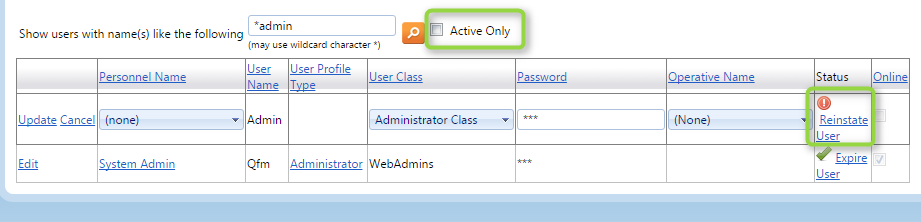
- Un-tick ‘Active Only’ to show expired users.

- Search for the user that is expired.
- Click the ‘Reinstate User’ button.